
Features
Built for precision, speed and engineering depth
Embedarium brings firmware simulation, circuit analysis, PCB design and coursework together in the browser.
Board upload (beta)
Uploading firmware to a physical board over Web Serial (Chrome, Edge, Opera) is in beta: ATmega328P boards with Optiboot (Arduino Uno), Nuvoton MS51 (UART ISP) and ADuC841 (serial loader); a virtual board shows the same flow without hardware.
01 · Firmware & silicon
Multi-MCU emulation and cloud IDE
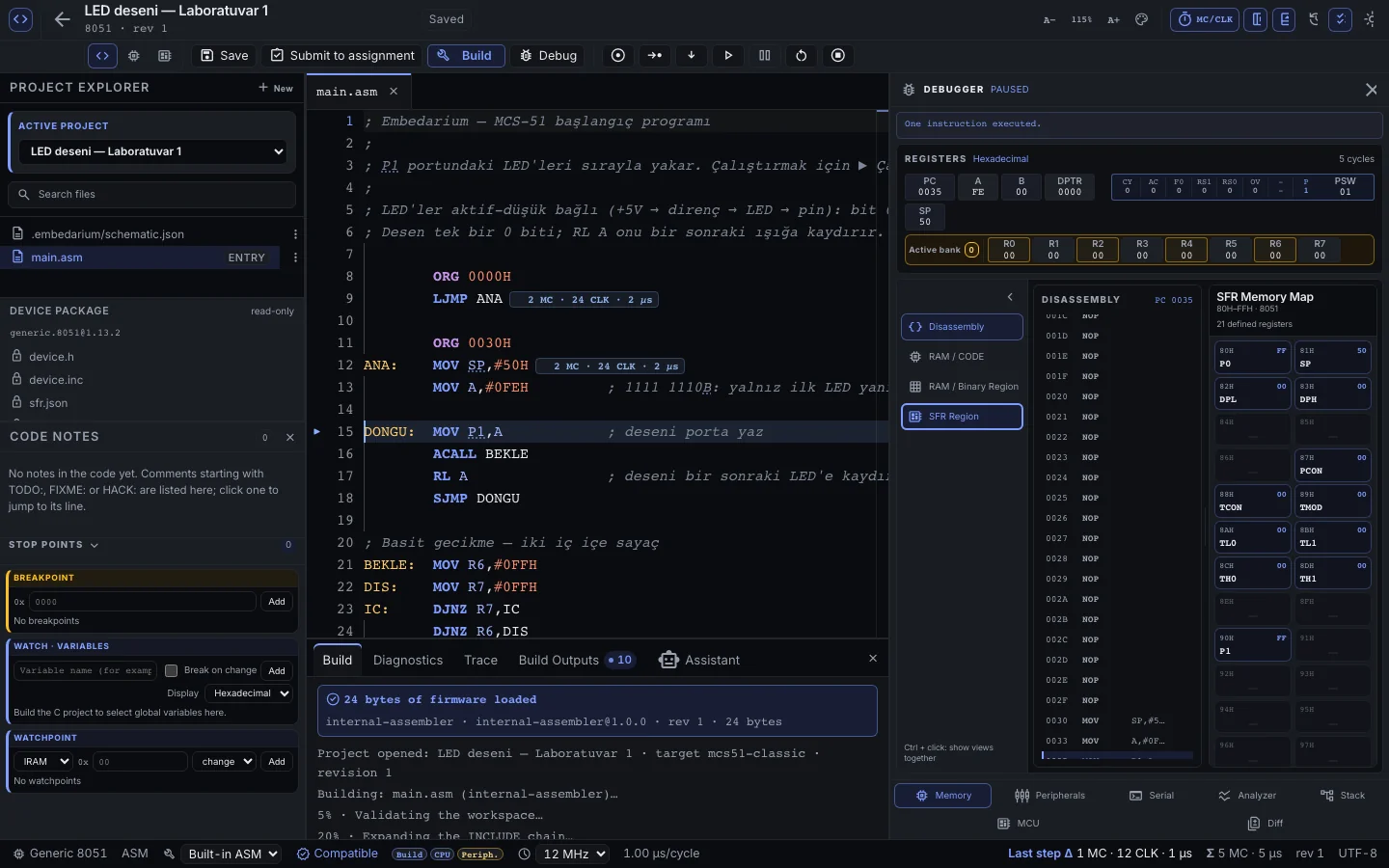
Write, build and debug microcontroller code in the browser. The simulators execute instruction by instruction at register level and count machine cycles for each target.
- 9 target microcontrollers: classic 8051, classic 8052, Nuvoton MS51PC0AE (1T), Analog Devices ADuC841 (dual DAC, ADC with DMA), Microchip ATmega328P, ATmega2560 and ATtiny85, Arm Cortex-M0+ (CMSDK reference system) and PIC16F877A.
- Cycle counting: each instruction advances the target’s cycle count. Default clocks: classic 8051/8052 at 12 MHz (1 µs per machine cycle; MS51 and ADuC841 are single-cycle cores), AVR 16 MHz, Cortex-M0+ 48 MHz, PIC16 4 MHz (1 µs per instruction cycle); the clock can be changed per project. Pins and the circuit update at instruction boundaries.
- Debugging: step, step into/over/out and run to cursor (instruction or C source line); register, memory, SFR and peripheral views with editable memory; C global variable watch; conditional breakpoints (a comparison such as
R6 == 3and/or a hit count); read/write/change watchpoints; call stack, disassembly and execution trace. - Zero-install builds: 8051-family C and assembly build in the browser (built-in assembler or SDCC in WebAssembly; SDCC on the server is also available); AVR and Cortex-M0+ (C, with avr-gcc and arm-none-eabi-gcc) and PIC16 (C and assembly, SDCC pic14 with gputils) build on the server in an isolated toolchain container.
- Build and analysis: build a project revision or an uploaded ZIP on the server, with static analysis and ten selected MISRA C:2012 rules (licensed separately). Server-only builds also cover Cortex-M3 and Cortex-M4 (no simulation).
Example projects for every target and step-by-step guides for each architecture.
02 · Circuit analysis
SPICE analysis and net labels
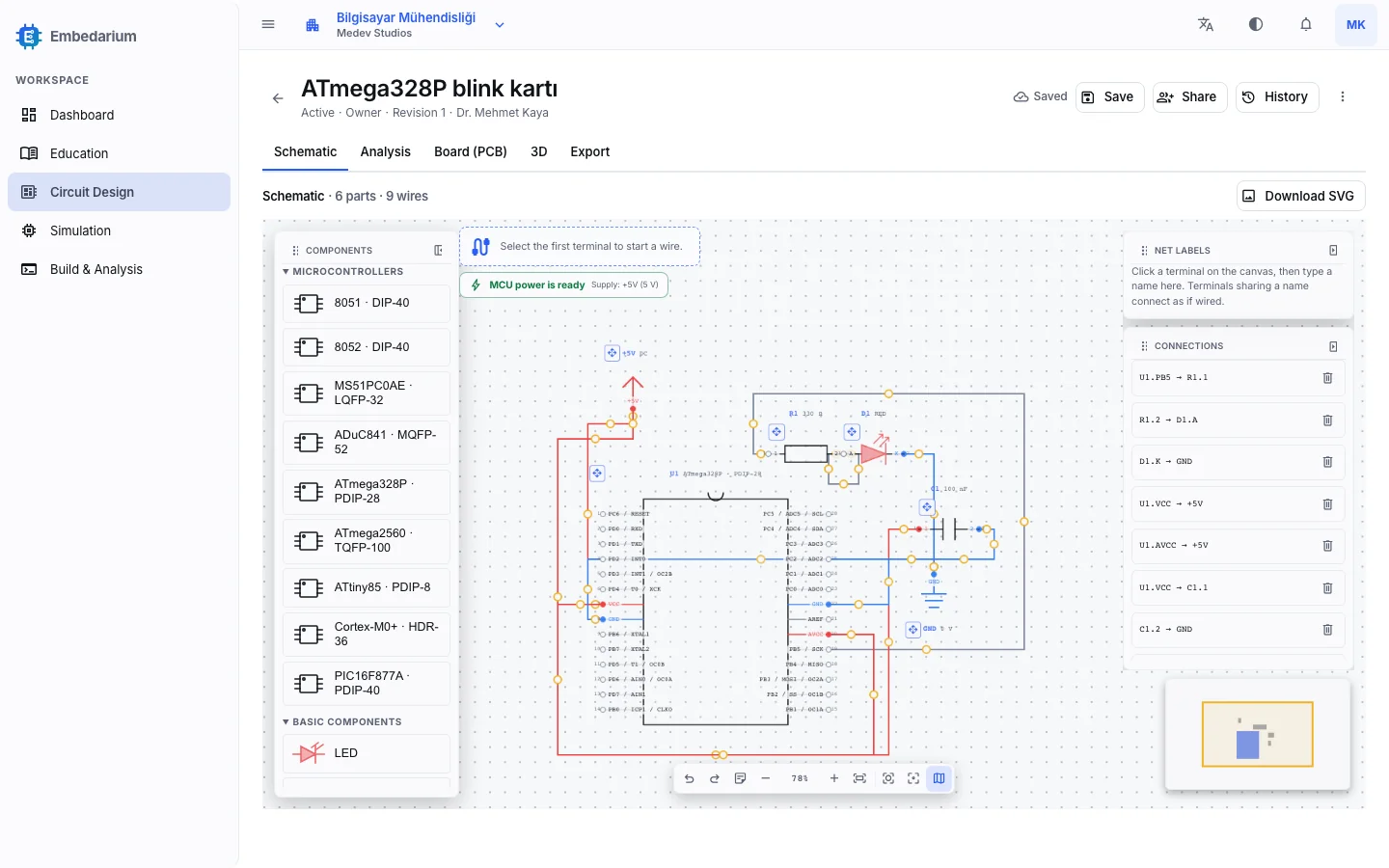
Analyze analog circuits, not only logic: an in-house modified nodal analysis (MNA) solver runs the analyses on the server, and its results are compared with ngspice in tests.
- Semiconductor models: Shockley diode (ID = IS·(eVD/(n·VT) − 1)), Ebers–Moll BJT (cut-off, active and saturation) and Shichman–Hodges MOSFET.
- Four analysis modes: DC operating point, DC sweep, transient response (e.g. RC, RL and RLC time constants) and AC magnitude and phase.
- Net labels and ERC: net labels connect distant terminals by name without drawing wires; the electrical rules check flags missing ground, shorts, unconnected pins and more.
03 · Bench instruments
Digital oscilloscope and logic analyzer
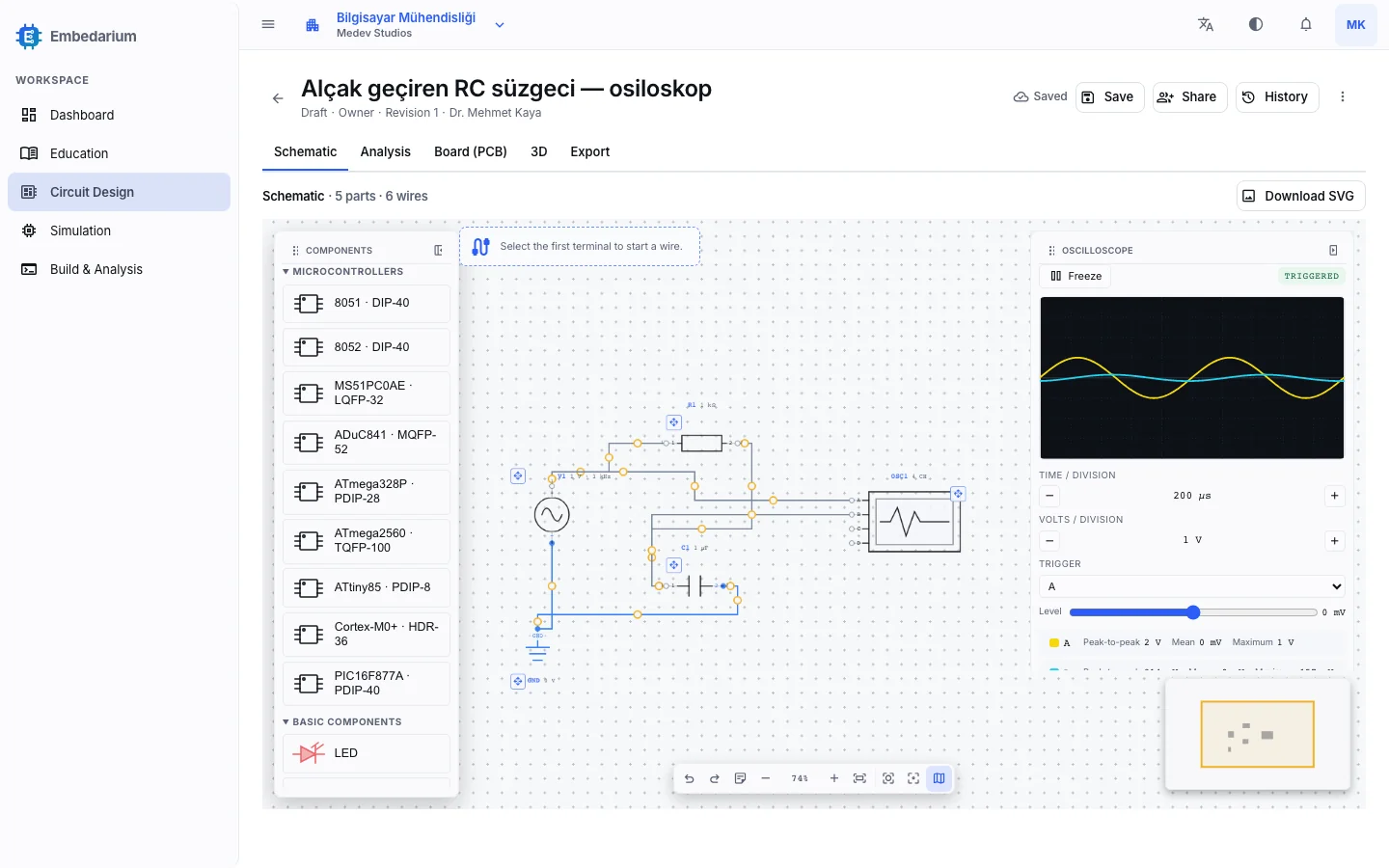
Virtual instruments modeled on benchtop equipment, for learners and engineers.
- Four-channel oscilloscope: time and volts per division, trigger, channel toggles and freeze mode, with probes wired to any node.
- Logic analyzer and export: digital pin timelines with frequency and duty-cycle readout; recordings export to IEEE 1364 VCD (GTKWave, PulseView) or CSV. SPICE analysis results export to CSV.
- Interactive parts: 4×4 keypad, 7-segment display, 16×2 LCD, potentiometer, relay, DC motor and DIP switch; I²C and SPI EEPROMs (24LC256, 25LC256) and a TMP102 temperature sensor that firmware talks to over the bus; plus a simulated serial terminal for UART.
04 · Fabrication
PCB auto-routing and Gerber output
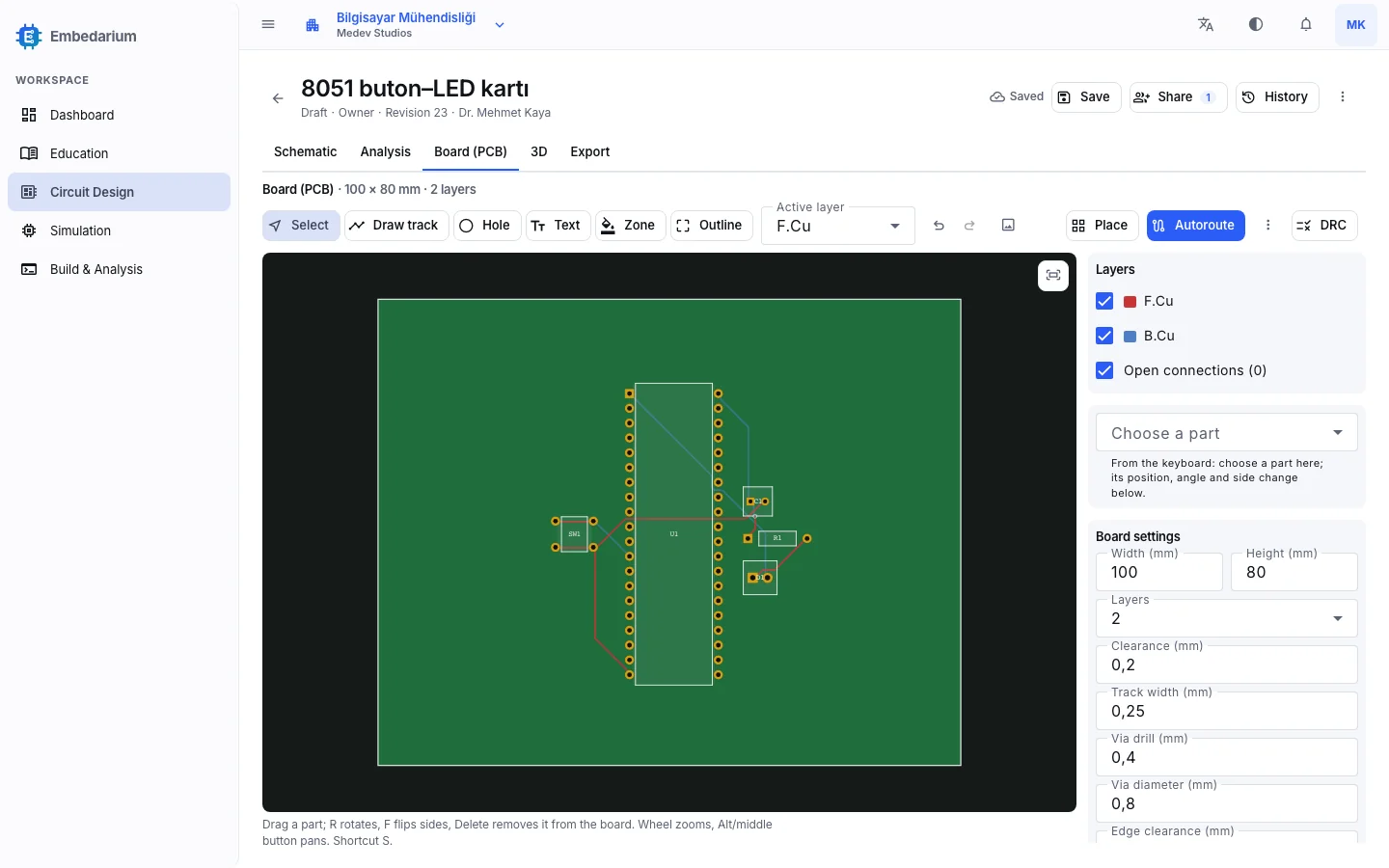
Turn the schematic into a printed circuit board layout, route it automatically, check it and export the files a board manufacturer asks for.
- A* auto-router: A* autorouter with rip-up and reroute on 2 or 4 copper layers, design rule check and copper zones.
- Design rule check (DRC): catches shorts, unrouted nets, clearance and edge-clearance violations, track width, via annular ring, overlapping footprints and silkscreen over pads.
- Standard CAM exports: RS-274X Gerber with X2 file attributes, an Excellon drill file, Gerber job file, bill of materials (BOM), pick-and-place (CPL) and netlist; also a SPICE netlist and a project backup file. An isometric 3D view previews the board on screen.
05 · Teaching
Classroom, automatic grading and plagiarism detection
Run engineering coursework at scale: create lab assignments, check firmware and circuits automatically and grade consistently.
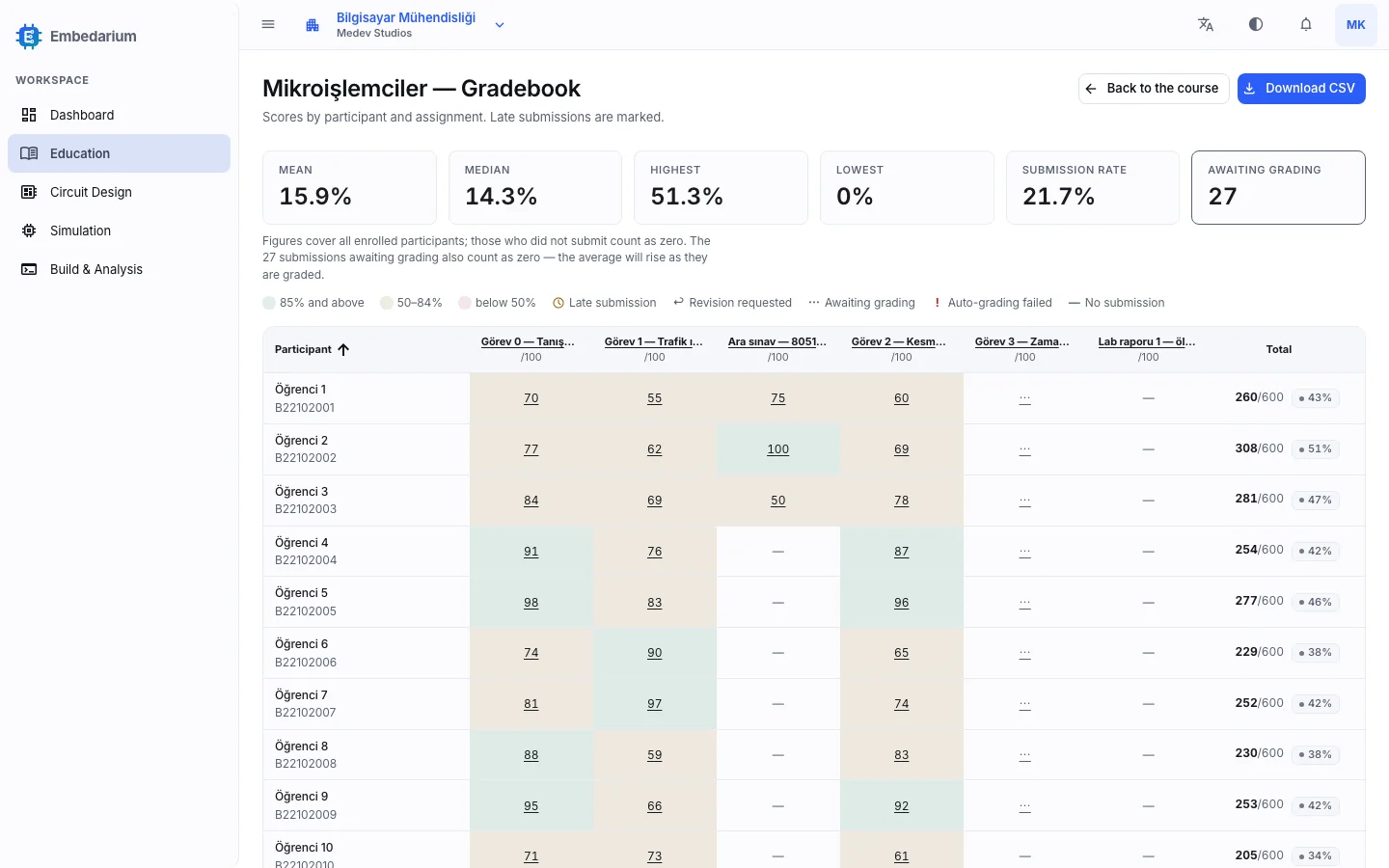
- Courses: lesson content, invite codes and bulk enrollment, course analytics and a gradebook with CSV export; plagiarism matches are shown side by side.
- Automatic checks: build check, UART input/output test cases (hidden cases supported), pin waveform checks (level, period, frequency, duty cycle, edge count, DAC voltage), LCD text and netlist rules for circuit assignments; rubrics for manual grading.
- Plagiarism detection: winnowing fingerprints of C and assembly submissions find similar solutions even when identifiers are renamed; the instructor starts a run for a code assignment.
- LTI 1.3 and grade sync: launch, Deep Linking 2.0 and grade passback (AGS 2.0) with LTI 1.3 platforms, verified in automated tests against a simulated LTI 1.3 platform (not yet tried with a production LMS, not certified); late penalties, per-student extensions and waivers.
- Deadlines and notifications: participants and teaching staff can subscribe to due dates in Google Calendar, Apple Calendar or Outlook (extensions show up automatically). New assignments, grades, reminders and course announcements arrive in the app and by email; each kind of email can be turned off, or unsubscribed from with one click.
At a glance
What Embedarium includes
A summary of the platform’s capabilities. Some modules are licensed separately; see Pricing.
| Capability | Embedarium |
|---|---|
| Deployment | Web browser (can be installed as an app; needs a connection); self-hosted on Linux with Docker Compose |
| Microcontroller simulation | 9 targets on 4 architectures (8051 family, AVR, Cortex-M0+, PIC16) |
| Timing | Instruction-level simulation with cycle counting per target |
| Analog analysis | MNA solver: operating point, DC sweep, transient, AC |
| PCB (2 or 4 layers) | A* auto-router, DRC, Gerber X2 and Excellon export |
| Automatic grading | Build, UART, waveform and netlist checks; LTI 1.3 |
| Plagiarism detection | Winnowing fingerprints (C and assembly) |
| Collaboration and history | Share circuit projects within your organization (viewer/editor); revision history with restore, plus a diff view for firmware projects |
| Organizations and licenses | Nested units with their own administrators; seat blocks allocated to departments with end dates and expiry warnings; member list with last activity and two-factor status, CSV export |
| Accounts and security | Enforceable two-factor authentication (TOTP), email alerts for sign-ins from a new device and for lockouts, audit log with CSV export, versioned acceptance of the terms of use |
| Interface languages | English and Turkish |
Validation status
No target has been validated on physical hardware yet; uploading to a board is in beta. The emulators are checked against reference simulators (uCsim, simavr, QEMU and gpsim) in automated tests.
Experience the complete Embedarium
Request a pilot and we set up your organization and invite your team.