
Assignments and automatic grading
Instructors and assistants
For instructors — creating code, circuit, file and quiz assignments; points, attempts, due dates and late penalties; grading criteria; automatic grading — build checks, UART test scenarios, waveform and LCD checks, netlist rules.
Assignments are created on the Assignments tab of the course page. An assignment's type, grading method and rules are all set in one form.
Creating a new assignment#
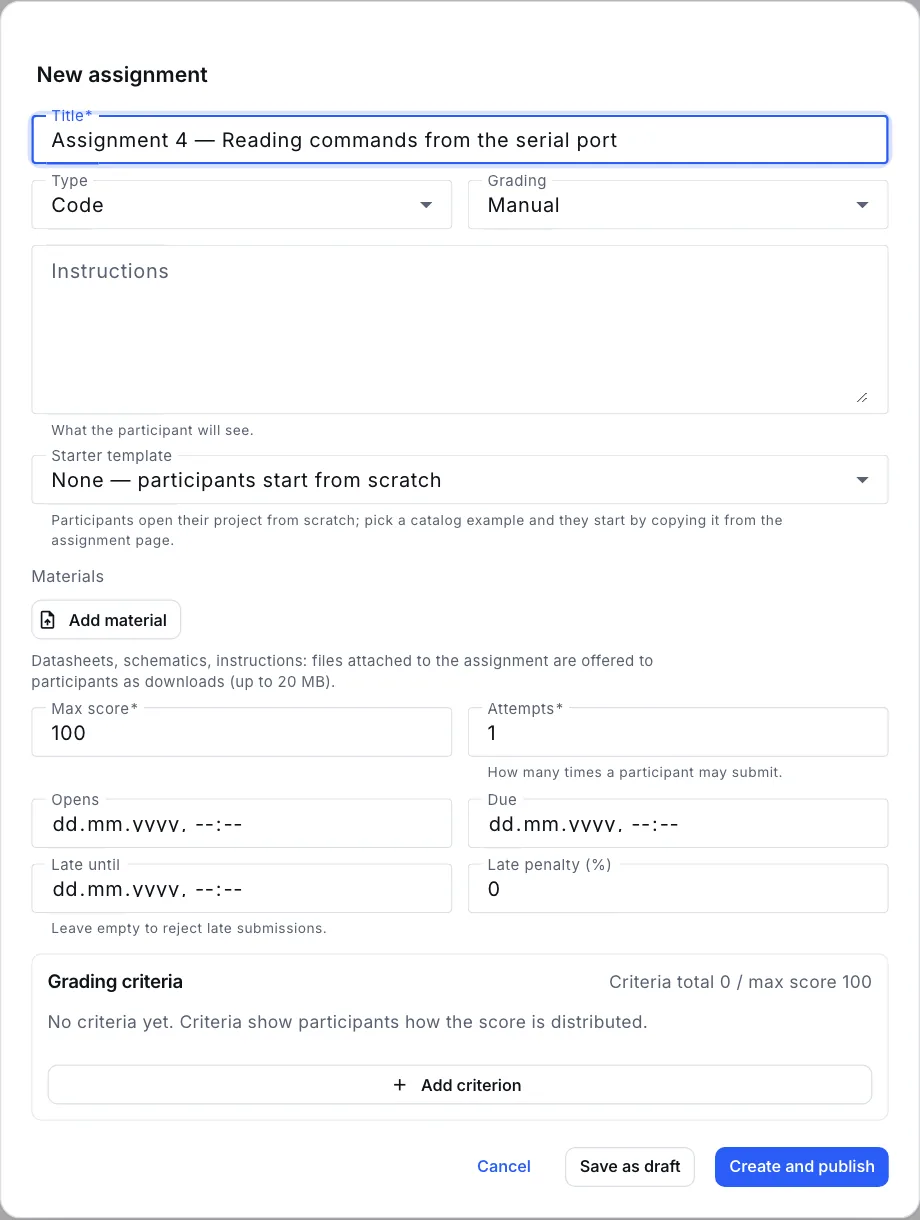
- On the course page, select New assignment.
- Choose the Title, Type and Grading method.
- Write the instructions — the description participants will see.
- Optionally choose a Starter template (a catalog example): participants start by copying this example into their own project from the assignment page. Add a datasheet, schematic or instruction file with Materials (up to 20 MB).
- Enter the Max score, Attempts, and the Opens and Due dates; optionally Late until and Late penalty (%).
- Add the grading criteria and (for automatic or hybrid grading) define the automatic checks.
- Save as draft or Create and publish.
When you publish the assignment, participants get a notification and an email. Participants can't submit before the opening date.
Assignment types#
| Type | What the participant submits | Grading |
|---|---|---|
| Code | Source code (as text or from a simulation project) | Manual, automatic or hybrid |
| Circuit | The circuit and code in a simulation project, together | Manual, automatic or hybrid |
| File | At least one file (report, measurement, photo) | Manual |
| Quiz | Answers to multiple-choice questions | Automatic |
The assignment type can't be changed later.
Grading methods#
- Manual: you or your assistants give the points according to the criteria.
- Automatic: the submission is scored automatically by the checks you define.
- Hybrid: part of the points come from the automatic checks and the rest from your criteria; the form shows the two parts separately.
If automatic and hybrid grading aren't in your plan, the assignment is graded manually; quizzes are still scored automatically.
Due dates and late submission#
- Attempts: how many times a participant can submit. Saving a draft doesn't use an attempt.
- If Late until is empty, no submissions are accepted after the due date. If it's set, submissions until that date get the late penalty as a percentage.
- If you change the due date of a published assignment, participants are notified; if the date was brought forward, the notification is sent as a warning.
- To give one person extra time, use Extend deadline on the assignment page (see Individual extensions).
Grading criteria#
With Add criterion you enter each criterion's name, description and points (for example Circuit correctness — 40, Timing — 30, Code quality — 30). At the top of the form the criteria total is compared with the maximum score. Criteria appear on the participant's assignment page, so they know in advance how the points will be shared out.
Automatic grading#
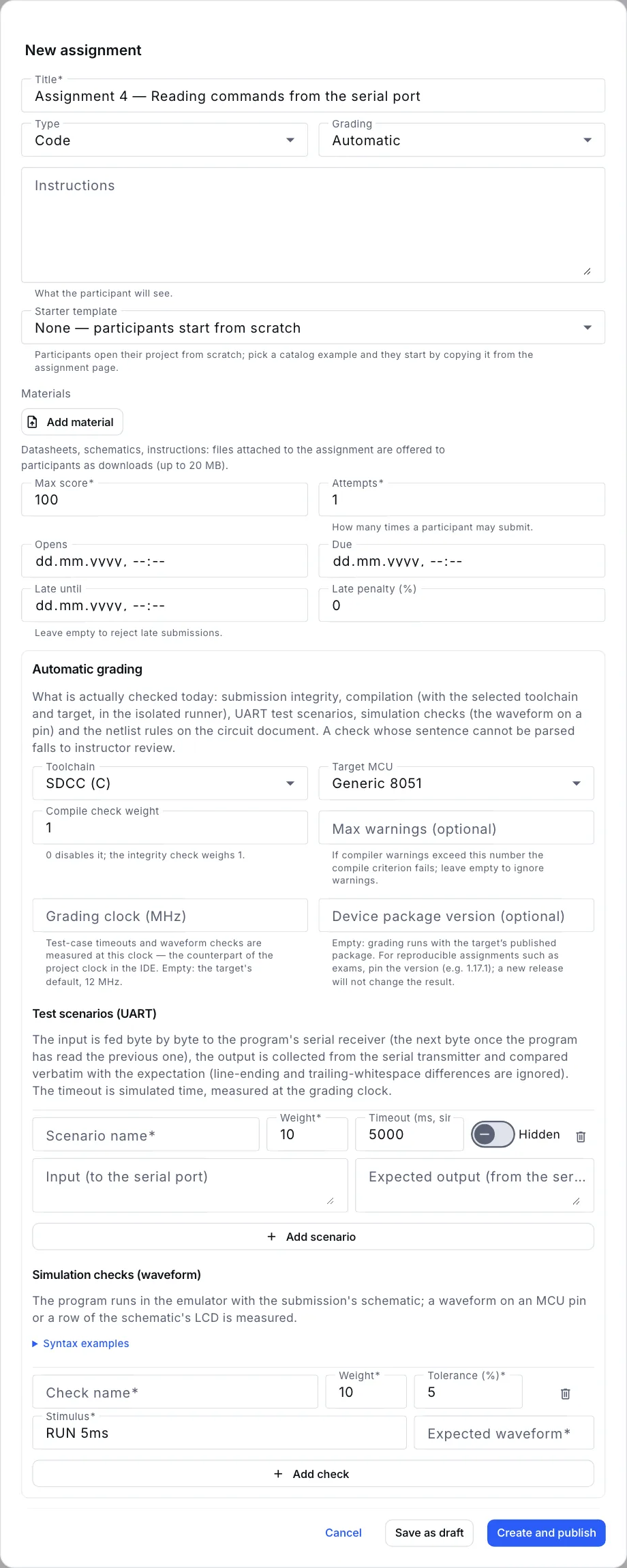
When you choose Automatic or Hybrid grading, the Automatic grading section opens in the form. The submission is built in an isolated environment and run on the simulated processor; the checks you define are measured. A check that can't be read or measured isn't scored automatically; it falls to instructor grading.
Build settings#
| Field | Meaning |
|---|---|
| Toolchain | The compiler the submission is built with (for example SDCC (C), Assembler (ASM), avr-gcc, arm-none-eabi-gcc, SDCC pic14, gpasm) |
| Target MCU | The processor the program runs on |
| Compile check weight | How much a successful build counts towards the score; 0 turns it off |
| Max warnings | If the compiler gives more warnings than this, the compile check fails; if empty, warnings aren't counted |
| Grading clock (MHz) | Scenario durations and waveform measurements use this clock — the equivalent of the project clock in the workspace. If empty, the target's default (for example 12 MHz on the 8051) |
| Device package version | If empty, the published package is used. Pin the version (for example 1.17.1) for assignments that must be reproducible, such as exams |
UART test scenarios#
In each scenario an input is fed to the program's serial port and the text coming out of the serial port is compared with the expected output.
- The input is fed to the program byte by byte; the next byte arrives when the program has read the previous one.
- The comparison is exact; only differences in line endings and trailing spaces are ignored.
- The Timeout is simulated time (milliseconds), measured with the grading clock.
- The Weight is the scenario's share of the score.
- For scenarios marked Hidden, the input and expected output aren't shown to participants; they see only the number of hidden scenarios.
Waveform and LCD checks#
Simulation checks (waveform) run the program together with the submission's circuit and measure the waveform on a processor pin or a line of an LCD in the circuit. Each check has a stimulus and an expectation:
Stimulus: how long to run and optional button events, separated by ;. Commands can be written in English or Turkish (RUN / KOŞ, PRESS / BAS, RELEASE / BIRAK).
RUN 5ms
RUN 20ms; PRESS sw1 @2ms; RELEASE "Button 1" @5ms
Buttons are written with their label on the canvas or their ID; put a name with spaces in quotes.
Expectation: the value measured and the expected result:
| Example | What it measures |
|---|---|
P1.0: period 100 us | The waveform's period |
P1.0: frequency 10 kHz | Its frequency |
P1.0: duty 50% | The duty cycle |
P1.0: level 1 | The pin's level |
P1.0: edges 100 | The number of edges |
DAC0: voltage 1.25 V | The ADuC841's analog output |
DS1: line 1 "Hello" | A line of the LCD in the circuit (by the LCD's label on the canvas) |
Pin names are written as the target spells them: P1.0 on the 8051, PB5 on AVR, P0.0–P1.15 on Cortex-M, RB0 on PIC16. Tolerance (%) applies to numeric measurements as a percentage. The form's Syntax examples link is a reminder of these rules.
Tip
If a check can't be read, the submission card says why (for example "The check could not be parsed …") and that check falls to instructor grading. After fixing the wording you can rerun the submission's automatic grading (see Grading).
Netlist rules (circuit assignments)#
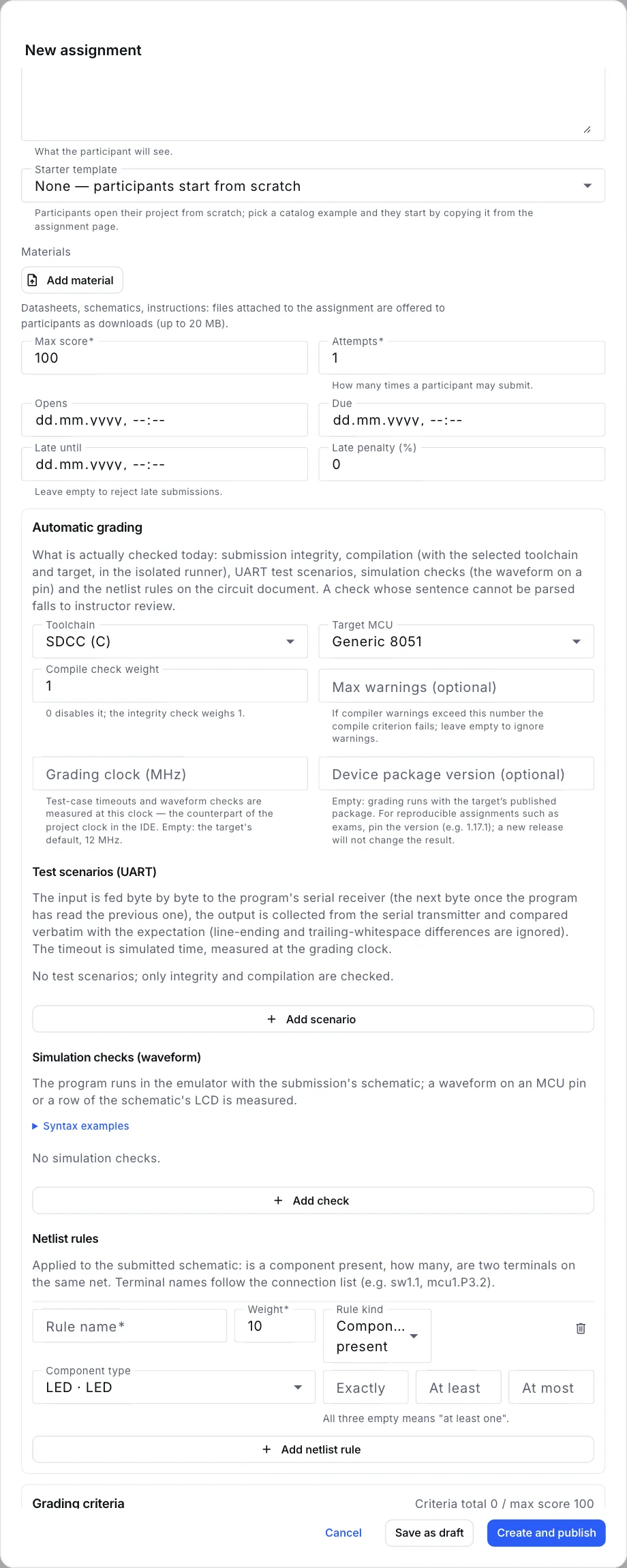
In a circuit assignment, the submitted circuit document is checked against these rules:
| Rule | Example |
|---|---|
| Component present | At least one LED; or exactly 3 resistors (exactly, at least, at most) |
| Component limit | At most 12 components, not counting the processor |
| Two terminals on one net | sw1.1 must be connected to mcu1.P3.2 |
Terminals are written as component.terminal and must be on the same net through wires.
Quiz assignments#
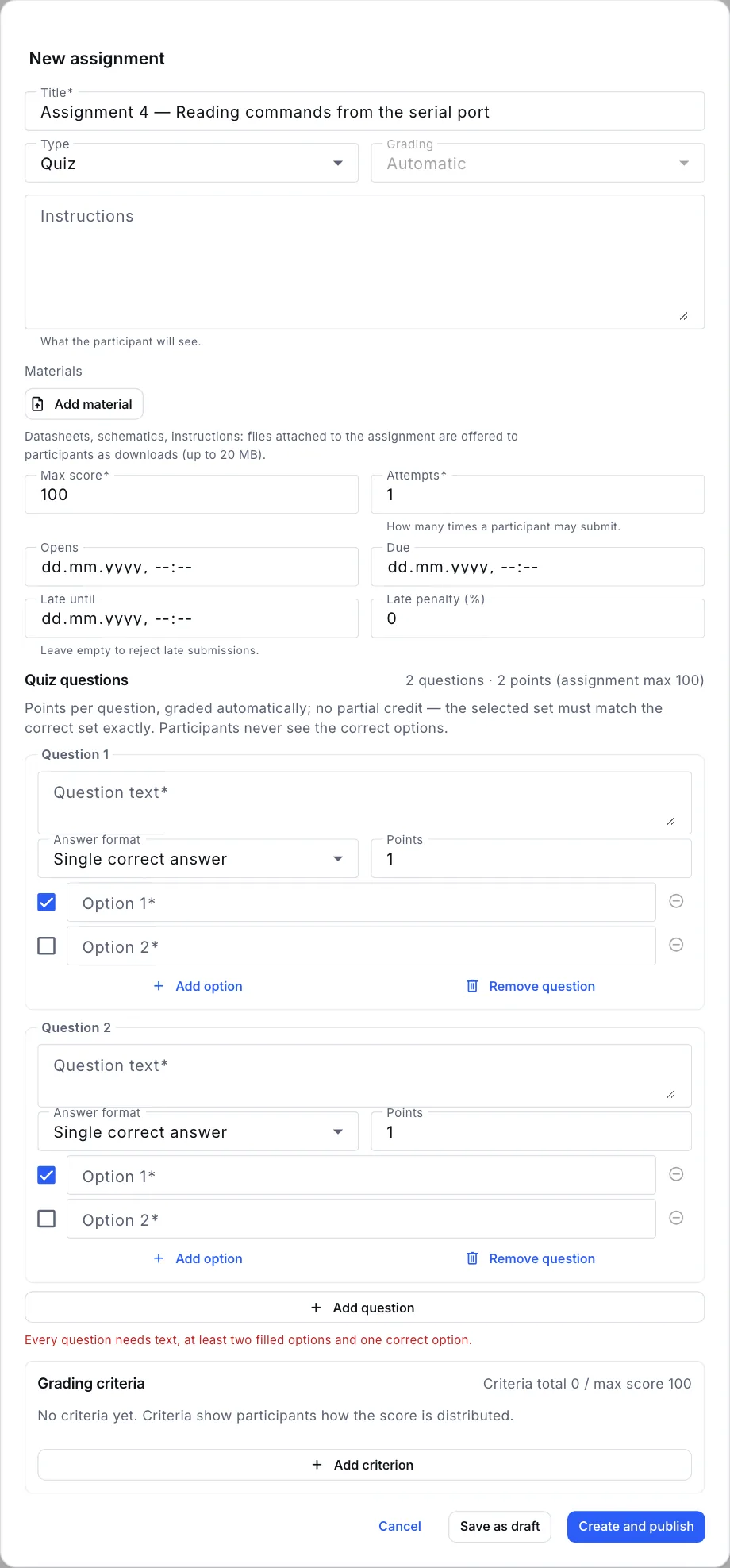
For the quiz type, write the questions with Add question in the Quiz questions section:
- Each question has a text, an answer format (Single correct answer or Multiple correct answers), points and at least two options; you mark the correct ones.
- Points are per question and automatic; there's no partial credit — the options selected must match the correct set exactly.
- Participants don't see the correct options; in their result they see each question's points and what they marked.
File submission assignments#
In the file type, the participant uploads at least one file; the text is an optional note. These assignments are graded manually. They suit reports, measurement outputs and photos.
Last updated:
Could not find what you need? Write to support — tell us the screen and what you expected to happen.